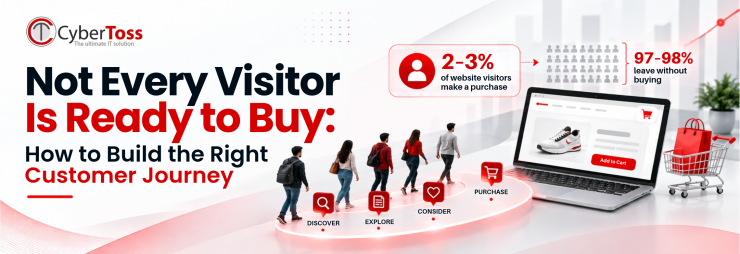
Think about the last time you bought something online. You probably did not buy it the moment you saw it. Maybe you saw an ad first. Then you read some reviews and checked prices on other websites. A few days later, you came back and bought it.
This path is called the customer journey. It starts when a person first hears about a brand. It continues when they buy and when they come back to buy again.
Many businesses design their website for only one moment: when a person is ready to pay. But most visitors are not at that point yet. Some are just looking. Some are comparing. Some are still getting to know you. So if most visitors leave without buying, it does not mean your website has failed. It may just mean your website is not helping people who are not ready yet.
A good customer journey plan helps you understand your customers, give them a better experience, and get better results from your marketing. In this blog, you will learn:
The stages of the customer journey
The benefits of customer journey mapping
How to build a customer journey map, step by step
How to check if your journey is working
What Is a Customer Journey?
A customer journey is every step a person takes with your business. It starts when they first hear about you. It ends when they buy from you, and comes back around when they buy again.
A customer journey map is a simple picture of these steps. It shows:
What your customer wants at each step
Where they meet your business (for example, social media, your website, or email)
What might stop them from moving forward
In short: the journey is what your customer goes through. The map is your plan to make it easier.
The 6 Stages of the Customer Journey
Every visitor is at a different stage. You do not need to push everyone to buy right away. Instead, give each person the right next step.

1. Discover: "What is this? Is it for me?"
The visitor has just found you. Maybe through Google, Instagram, or a friend. They do not know you yet.
What to do: Show clearly what you sell, who it is for, and why it is worth a look.
2. Engage: "Is this better than other options?"
The visitor is comparing you with other brands.
What to do: Help them decide. Share clear product details, good photos, prices, and real reviews. Be clear, not pushy.
3. Capture: "I like it, but I am not ready yet."
The visitor is interested but not ready to buy.
What to do: Give them an easy small step. For example, join your newsletter, save items to a wishlist, or get a first-order discount. This lets you stay in touch.
4. Nurture: "Let me think about it."
The visitor is still deciding.
What to do: Stay in their mind. Send helpful emails, remind them about saved items, and suggest products they may like. Do not be pushy.
5. Convert: "I am ready to buy."
The visitor wants to buy now. Even small problems can stop them here.
What to do: Show the full price early. Show reviews and safe payment options. Keep checkout short and simple.
6. Retain: "Should I buy again?"
The journey does not end after the sale.
What to do: Send a thank-you message, product-use tips, reorder reminders, and loyalty rewards. This turns first-time buyers into repeat customers.
The biggest mistake? Treating every visitor like they are already at the Convert stage.
Benefits of Customer Journey Mapping
A customer journey map helps you stop guessing and start planning. Here is how it helps:
You see things the way your customers see them. You learn what they want, think, and worry about at each step.
You find where customers get stuck. For example, a confusing page, a surprise fee, or a slow checkout on mobile.
You send the right message at the right time. A new visitor needs an introduction. A returning visitor needs a reason to buy. A past customer needs a reason to come back.
You get more sales from the visitors you already have. Fixing small problems often brings more sales than spending more on ads.
You keep customers coming back. When you plan what happens after the sale, people are more likely to buy again.
Your whole team works together. Marketing, sales, and support all see the same picture of the customer.
How to Build a Customer Journey Map (Step by Step)
You do not need special software or a big team. A whiteboard, a spreadsheet, or even a sheet of paper is enough.
Step 1: Set a clear goal
Decide what you want the map to help you with. For example: "Get more first-time buyers from Instagram" or "Stop people from leaving at checkout." A clear goal keeps your map focused.
Step 2: Know your customer
Write a short profile of your typical customer. This is often called a buyer persona. Write down:
Who they are
What problem they want to solve
What matters most to them, such as price, quality, speed, or trust
Use real information. Look at customer reviews, common questions, and feedback from your sales or support team. You can also run a short survey. If you have very different types of customers, make a separate map for each one.
Step 3: Write down the stages
Use the 6 stages above as the columns of your map. You can change them to fit your business. For example, a service business may use "Book a call" instead of "Checkout."
Step 4: List all touchpoints
A touchpoint is any place where a customer meets your business. Under each stage, list them all. For example: social media, ads, Google search, your website, emails, WhatsApp, reviews, phone calls, delivery, and packaging.
Step 5: Write down what customers think and worry about
At each stage, write the questions your customer may have. For example: "Will this work for me?" "Is shipping extra?" "Can I return it?" These worries are often the reason people leave. So they show you where you need to help.
Step 6: Choose the next step for each stage
For each stage, pick one simple action you want the visitor to take. Then make that action easy. Remember, the next step does not always have to be "buy."

In marketing, any useful action a visitor takes is called a conversion. Joining your email list or saving a product may seem small. But each one shows the person is getting closer to buying. So count these small steps too, not just sales.
Step 7: Fix, test, and update
Start with the biggest problem you found. Change one thing at a time and see if it helps. Customers change over time, so update your map every few months.
Here is an example of what a finished customer journey map can look like:

Look at the "How she feels" line. Priya feels unsure at two points: when she is asked for her email, and when she thinks about the price. These are the moments where your website should make her feel confident, not push her. Once her doubts are answered, she is happy to buy.
Simple Ways to Improve Your Customer Journey
Once your map shows where people get stuck, try these simple fixes.
Make your message clear
Look at your homepage like a first-time visitor. Can you quickly tell what you sell, who it is for, why you are a good choice, and what to do next? If not, many visitors will leave.
Remove problems before you push for the sale
Countdown timers and "only 2 left" messages will not fix a confusing checkout. Fix the basics first:
Show the full price, including shipping, early
Keep your menu and pages simple
Let people buy without creating an account (guest checkout)
This is important. About 7 out of 10 people who add items to their online cart leave without buying. Most of them were interested. Something just got in their way.
Build trust when people are ready to pay
Reviews, a clear return policy, and trusted payment options matter most when someone is about to pay. Show them near the "Buy" button and on the checkout page.
Give visitors a reason to come back
Not everyone buys on their first visit. A newsletter, a wishlist, useful content, or a friendly reminder helps you stay in touch without pushing them.
Make it easy to buy on mobile

Most people visit websites on their phones. But more people finish buying on a computer. This does not mean mobile users are less interested. It usually means buying on a phone is harder. To fix this, use fast pages, big buttons, short forms, autofill, and quick payment options.
Example: How One Small Fix Can Bring More Sales

Imagine a skincare brand. Many people visit its website, but very few buy. Instead of spending more money on ads, the team checks where people are leaving.
They find that people like the products. The problem is at checkout, mostly on mobile phones. Two things are stopping buyers:
The shipping cost shows up only at the last step
New customers must create an account before they can pay
The fix is simple. The brand shows the shipping cost earlier and lets people check out as guests. No new website. No extra ad spend. But more people finish their purchase.
The lesson: Before you bring more people to your website, fix what is stopping the people already there.
Note: This is an example based on common patterns. It is not a real client story.
How to Know If Your Customer Journey Is Working
After you make your map, check your results. This shows you what is working and what to fix next. You do not need to be a data expert. Keep it simple.

Look at each step, not just sales
Sales numbers alone do not show where people leave. Check how many people view a product, add it to the cart, start checkout, and finally buy. The step where most people leave is the best place to start fixing.
Compare the right numbers
Different reports count visitors in different ways. For example, if one person visits on Sunday and again on Monday, one report may count 1 visitor and another may count 2 visits. Both are correct, but you should not compare them with each other. Also, one report may count newsletter sign-ups as conversions, while another counts only sales. Before you compare numbers, make sure they measure the same thing.
Start with simple tools
Google Analytics is free and enough for most businesses. It shows where visitors come from and where they leave. As your business grows, tools like Segment, Heap, or Triple Whale can give you more details.
Check often, but do not panic
Check every week to catch sudden problems, like a broken page. Check every month to find what to improve. For big changes, like a new website design, look at results over a few months, not just a few bad days.
What Is a Good Conversion Rate?
Your conversion rate is the percentage of visitors who do what you want, usually buying. Many people search for the "average" rate and worry if their number is lower. Do not worry yet.

As the chart shows, conversion rates are very different in each industry. Why? Because the customer journey is different. People buy a $20 candle quickly. But a $2,000 engagement ring needs research, comparison, and many visits first. When the journey is longer, fewer people buy on each visit. That is normal.
So do not chase one global number. Compare yourself with businesses in your industry and with your own past results.
Frequently Asked Questions
What is customer journey mapping?
It means drawing out every step a customer takes with your business, from first hearing about you to buying and coming back. It helps you see what customers need and where they get stuck.
What are the stages of the customer journey?
In this blog, we use 6 stages: Discover, Engage, Capture, Nurture, Convert, and Retain. Some businesses use a shorter list: awareness, consideration, purchase, and loyalty. The idea is the same.
What is a good ecommerce conversion rate?
There is no one right number. It depends on your industry, your prices, where your visitors come from, and what device they use. Compare yourself with similar businesses and with your own past results.
Why do mobile visitors buy less than desktop visitors?
This is very common. Many people look at products on their phone and buy later on a computer. Also, buying on a small screen can be harder. A faster, simpler mobile checkout helps.
Should I get more visitors or fix my website first?
If many people leave at one step, fix that first. If you bring more visitors to a website with problems, they will face the same problems.
How often should I update my customer journey map?
Every few months. Also update it when something big changes, like a new product, a new sales channel, or a new website.
Final Thoughts
A visitor who leaves without buying is not always a lost sale. They may just be at an earlier stage of their journey.
Businesses that grow do not push every visitor to buy. They understand their customers' journey. They give each visitor the right next step. And they keep making the path easier.
So start small. Map your customer journey. Find the one place where most people get stuck. Fix it. Then ask yourself:
Is your website made for the whole customer journey, or only for people who are already ready to buy?